
SchengenTrack logo
Step-by-Step Guide

Understand SchengenTrack in 4 clear sections.

Built for clarity and planning confidence. Every section below explains exactly how the system works.

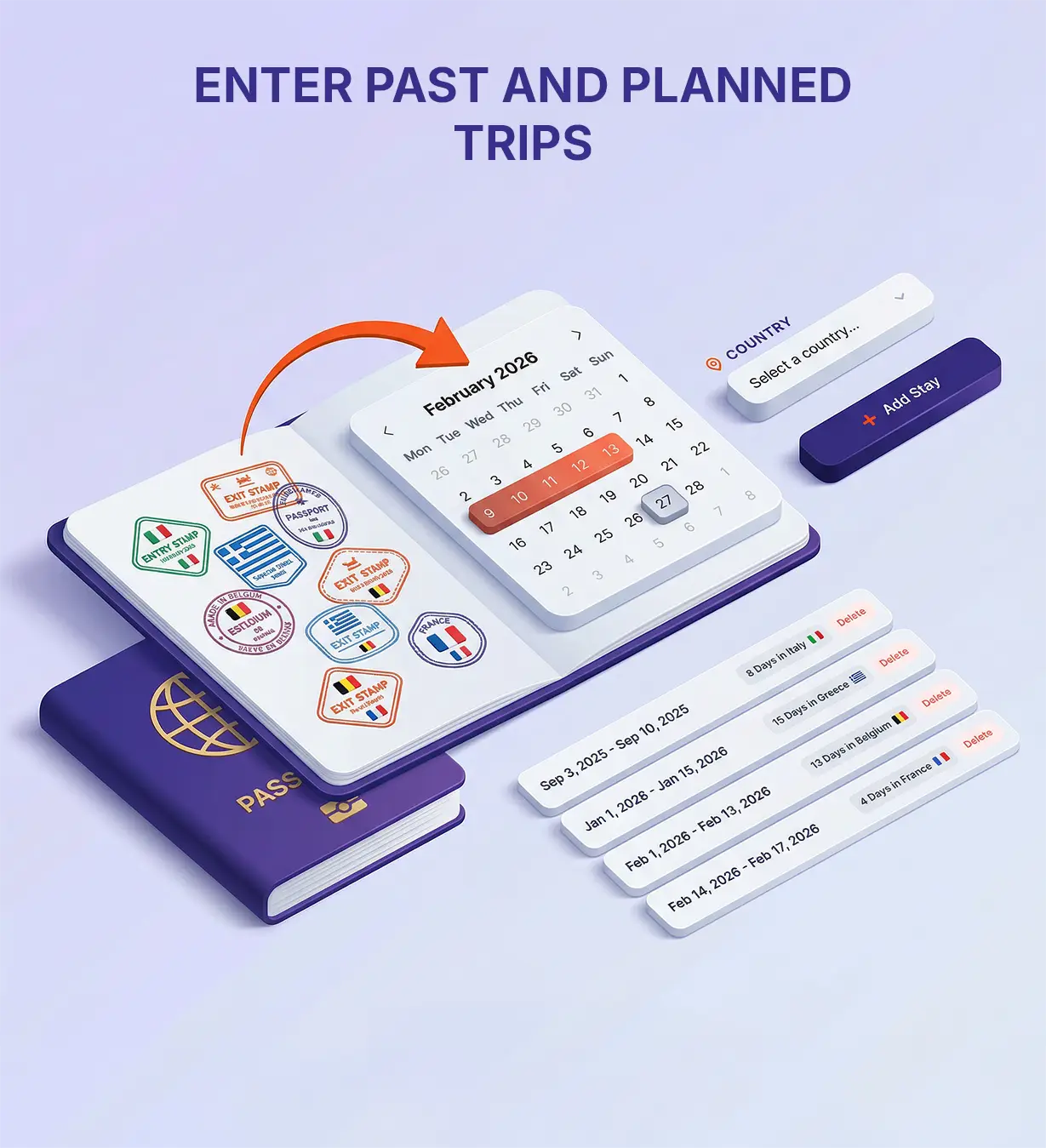
Step 1 visual - Enter past trips

Section 1

Step-by-Step Guide

Using our system is frictionless and requires no technical knowledge:

  • Step 1: Enter Travel Dates. Check the entry and exit stamps on your passport and input the exact dates of your previous stays.
  • Step 2: Select the Destination Country. Pick the country from our list for the dates you entered. The system instantly verifies whether that country is part of the Schengen Area and if the 90/180-day rule applies, removing any guesswork.
  • Step 3: Add a Planned Trip (Optional). If you have an upcoming journey, input those dates to see if your future travel plan is viable and safe.
  • Step 4: Get Instant Results. There is no calculate button. As soon as you enter details, our algorithm works in the background and instantly displays remaining days, overstay warnings, and all critical dates.

Step 2 visual - Add planned trip

Section 2

How the Calculation Works (The Rolling Window)

SchengenTrack’s algorithm strictly follows the official 180-day rolling window rule used by European border control. Instead of looking forward, the system always looks backward 180 days from today (or your planned travel date). It checks if the total number of days spent inside the Schengen Area exceeds 90 within this moving timeframe.

As time moves forward, the 180-day window moves with it. Older trips eventually fall outside this window, freeing up new allowed days for you.

Based on this math, the system provides three critical dates:

  • Latest Departure: The absolute last day you must leave the Schengen Area without penalties.
  • Earliest Possible Entry: If you used all 90 days, this is the first date you can re-enter smoothly.
  • Full Reset Date: Exactly 180 days after your last exit, your Schengen history is fully cleared.
Step 3 visual - Instant results

Section 3

Understanding Your Report

Once your dates are in, you receive an actionable summary designed to help you plan safely and clearly.

  • Used and Remaining Days: Instantly see how many days are left so you can book flights, hotels, or apply for visas with confidence.
  • Overstay Warnings: If a planned trip exceeds the limit, the system highlights the exact date the violation would occur, helping you avoid fines, entry bans, or border issues.
Step 4 visual - QR code feature

Section 4

The Advantage of the QR Code Feature

This feature makes managing your travel history practical, fast, and portable.

  • No More Re-typing: Save your generated QR code and scan it later to instantly reload all entered dates.
  • Easy Sharing: Visa consultants, travel agencies, or family members can share complex travel histories in seconds using one QR image.
  • Practical Border Reference: A saved report and QR code gives you an offline-ready reference if internet access is limited near border control.